
The Most Beautiful Wi-Fi Router in the World! Huawei Mesh X3 Pro Review
A mesh system is supposed to make Wi-Fi problems disappear without you having to constantly reposition yourself. However, Huawei goes one step further with the X3 Pro and focuses heavily on the aesthetics. In everyday use, it quickly becomes clear it is a well-rounded overall package.
We reviewed a set of the Huawei Mesh X3 Pro, which comprises a main router and a repeater (or station/satellite). The main router was on the upper floor of our apartment, connected to a Fritz (a very popular German Wi-Fi router)! The reason? A modem is not built into this router; you need that separately. The station is supposed to supply Internet connectivity to the basement. The distance, on paper, is less than ten meters, but there is reinforced concrete and underfloor heating across two floors in between. This is a tough environment for Wi-Fi, as this combination can significantly attenuate wireless links. Do note that Huawei products are not sold in the US.
What the Huawei Mesh X3 Pro Promises and What Counts in Everyday Use
According to the manufacturer, the X3 Pro is a Wi-Fi 7 system, but operates as a dual-band router with support on 2.4 and 5 GHz bands. The 6 GHz band, one of the greatest added values of Wi-Fi 7, is not included. Huawei states a theoretical maximum rate of 3,570 Mbps (688 Mbps on 2.4 GHz plus 2,882 Mbps on 5 GHz). These are just values on the technical specifications and do not directly correlate with real-life speed tests in an apartment. It does show the class in which the system wants to reside. As a general rule, the technical specifications point to gross values, while experience shows that only about half of these values can be used in reality.
The main router has two 2.5 Gbit/s ports (adaptive for WAN/LAN), while the station has a 1 Gbit/s port. The WLAN is encrypted with WPA2/WPA security. There are security and parental control functions to boot, but that is what you would expect from a modern mesh system.
Setting Up on Android is the Biggest Hurdle
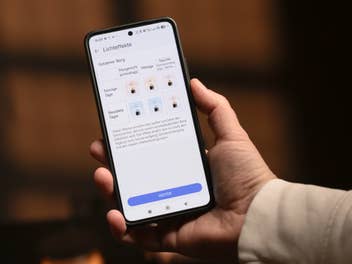
The biggest disadvantage is not in the wireless segment, but in the app ecosystem. The required AI Life app is not available in the Google Play Store on Android. You must first install the Huawei AppGallery via sideloading before obtaining AI Life from there. This is unnecessarily complicated for many users because Android rightly warns you, while you have to deliberately allow an additional app source for installation. This is not a problem with the iPhone, where the app is easily available.
Here’s something positive: The setup was possible without a Huawei account. Nevertheless, the basic problem remains: A mesh system is a convenience product. If the first step already consists of detours, this is difficult to sell to the mainstream — especially for a manufacturer that already causes a polarizing opinion when it comes to data protection and trust.
Plenty of Poorly Explained App Functions
AI Life offers the usual basic functions: Changing the WLAN name and password, adjusting the transmission power, setting schedules to deactivate the WLAN at certain times, and activating WPS. There is also a “WiFi 5” replacement network option: you can create a separate WiFi name for older devices, even though the system is generally supposed to use more modern wireless technology. This can help if individual clients have problems with new settings or band steering.
The guest WLAN is also a practical solution. You can limit it to four hours or one day, for instance, or leave it permanently active. There is also a speed limit, so guests do not slow down the home network more than you allow. Parental control is also included: devices can be restricted in terms of time, and certain URLs can be specifically blocked.
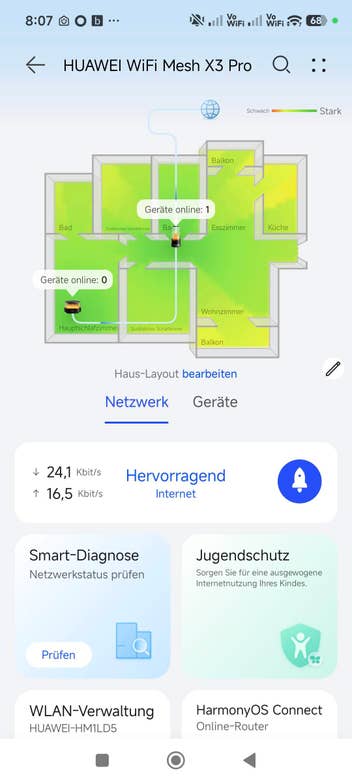
What is really missing, however, is the display of the mesh route. Although there is a signal coverage map, it is difficult to adapt it to your own home. In the end, you basically see a line between the main router and the station, and how many devices are connected to which node. What you don’t get is a reliable indication of the connection quality between the devices. Without percentage values, levels, or at least a clear picture, the only option for fine-tuning the location is through trial and error.
Performance Over Two Floors is Solid, but Not Outstanding
The full power of the Internet line arrives at the main router: 300/150 Mbit/s is also available via WLAN. In the basement at the station, it usually drops to approximately two-thirds of this, i.e., roughly 180 to 220 Mbit/s for downloads. This is not surprising. Reinforced concrete and underfloor heating are the cause of the bottleneck, not the WAN port. In addition, the WLAN frequencies are used twice: once for transmission between the main router and satellite, followed by transmission from the satellite to the end device. Things are bound to slow down. Good mesh systems rely on tri-band here.
In the end, stability is important: In everyday life, there were no noticeable interruptions when switching between the router and station. This is exactly the feature that a mesh system needs to provide so that video calls, streams, and normal surfing do not constantly stumble. It was only noticeable that the AI Life app occasionally displayed a “disconnect” without you noticing any real dropouts in the network. This seems more like a display or app communication problem that we experienced to track the mesh handover. This is unlikely to play a significant role in everyday life.
The Light is the Unique Selling Point and Does a Good Job
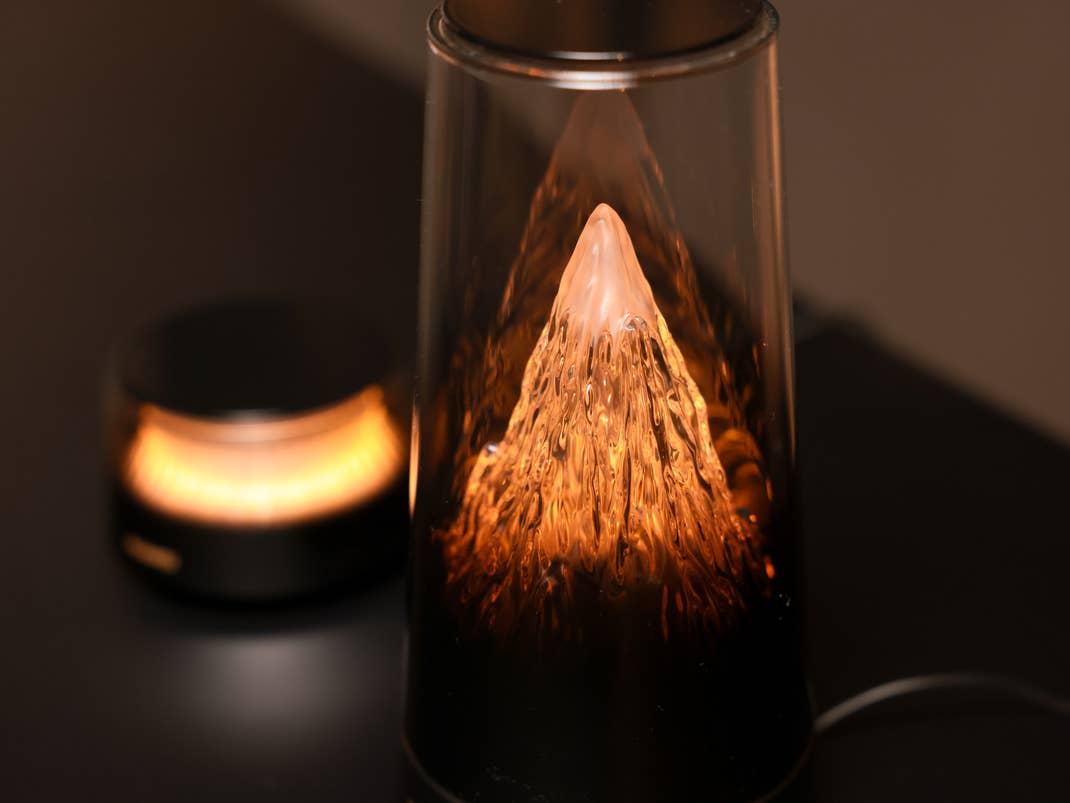
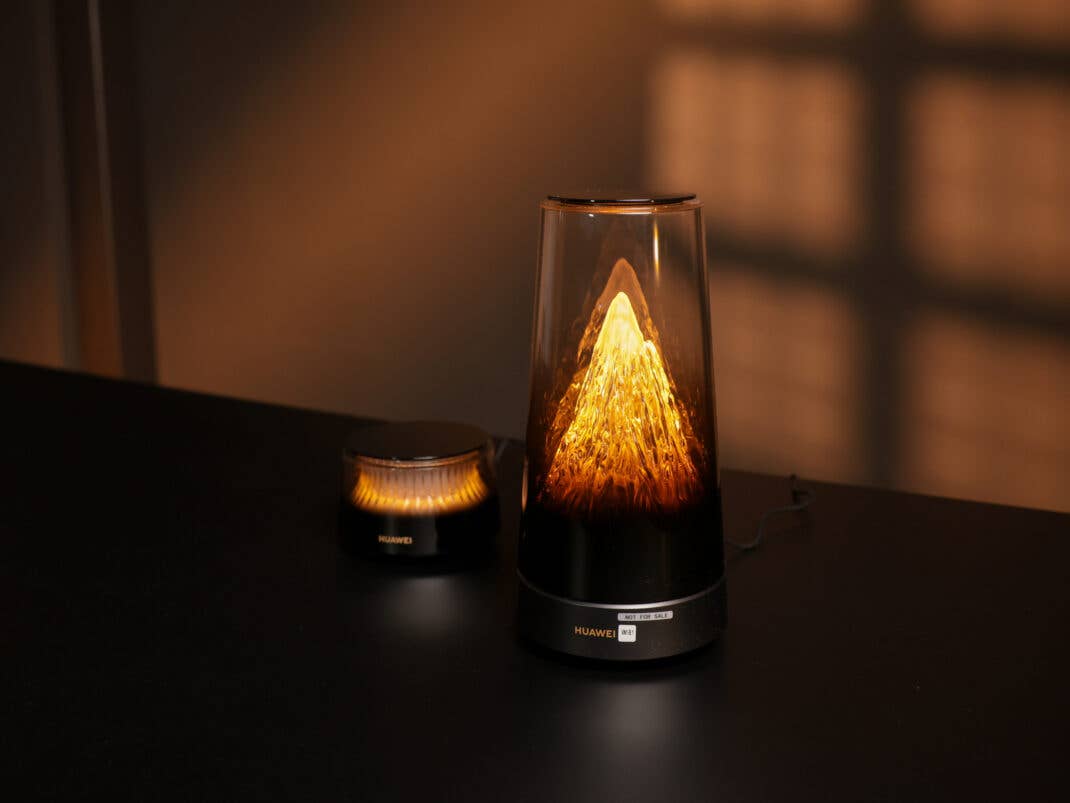
The reason you’re considering the Mesh X3 Pro in the first place is the design. To be more specific, the lighting design. With the Mesh X3 Pro, Huawei launched a router that you have never seen before. The main router reminds a child from the 1980s or 1990s who was fascinated with a lava lamp, albeit sans any movement. The shape of the router is a tapered “rocket” which is primarily made of Plexiglas. Inside lies an illuminated volcano. You can determine the effects, brightness, and color temperature of the volcano in the app. This includes schedules and countdowns (for instance, “turn off in 30 minutes”). The color temperature ranges from 2,000 to 7,000 Kelvin. The brightness can be adjusted down for night use or completely deactivated. The satellite also has light and similar routines, but its appearance is far simpler due to its completely different design.
You can switch the light on and off directly on both devices via touch and dim it by pressing and holding. This worked reliably on the main station without any noticeable delay. Transitions were smooth, there was no flickering, and it is soothing enough to be left on at night as long as the router is not in your direct field of vision.
The Light Router is a Power-Saving Miracle
The light cannot be used as a status indicator. You cannot link it to data throughput, the number of connected devices, or the mesh link quality at the moment. It is purely a design element. You can like that, but it does not replace diagnostic functions. Nevertheless, it can be used well enough as a night light. Of course, it is also a design element with an important function: your WLAN.
The question of energy consumption is then raised at this point. How much does this design element consume in reality? The answer: virtually nothing. The main router itself is already extremely economical at 4 to 5 watts in standby mode. Even under load, it does not exceed 6 watts. The designer lamp also consumes a maximum of 1 watt, but only when it is switched on at 100 percent brightness at 7,000 Kelvin. Meanwhile, the repeater or satellite draws around 3.5 watts from the socket. There is a difference of 0.5 watts with the light on or off. With these low power values, you should remember that you also have to operate a modem.
Conclusion: Visually Discreet, Technically Solid, but Unsuitable for the Masses
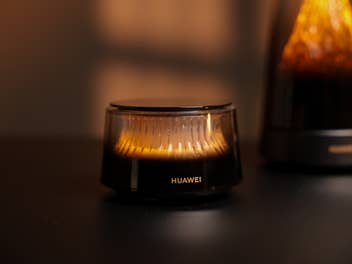
If you’re looking for a router that doesn’t look like a piece of consumer electronics in the living room, the Huawei Mesh X3 Pro is in a league of its own. The light function is well implemented, dimmable, and really practical in everyday life. It also offers stable mesh use without noticeable roaming dropouts.
However, two things slow the system down. First, setting it up on Android via Huawei’s AppGallery through sideloading, and the poor transparency of the mesh connection. Things get dicey in apartments since you want to quickly see whether the station is in a good position. This is exactly where AI Life leaves you with nothing but trial and error. The bottom line? You get an eye-catching, solid mesh system that still needs a lot of improvement in terms of user guidance and location optimization.
What did you think of this news? Leave a comment below and/or share it on your social media. This way, we can inform more people about the hottest things in technology, science, innovation, and gaming!
This news was originally published in:
Original source
